Repair Damaged Photos with AI
Repair damaged photos online free with AI and bring old family pictures back into focus. Fix tears, stains, fading, scratches, and soft detail in one simple workflow while keeping the original people and mood recognizable.
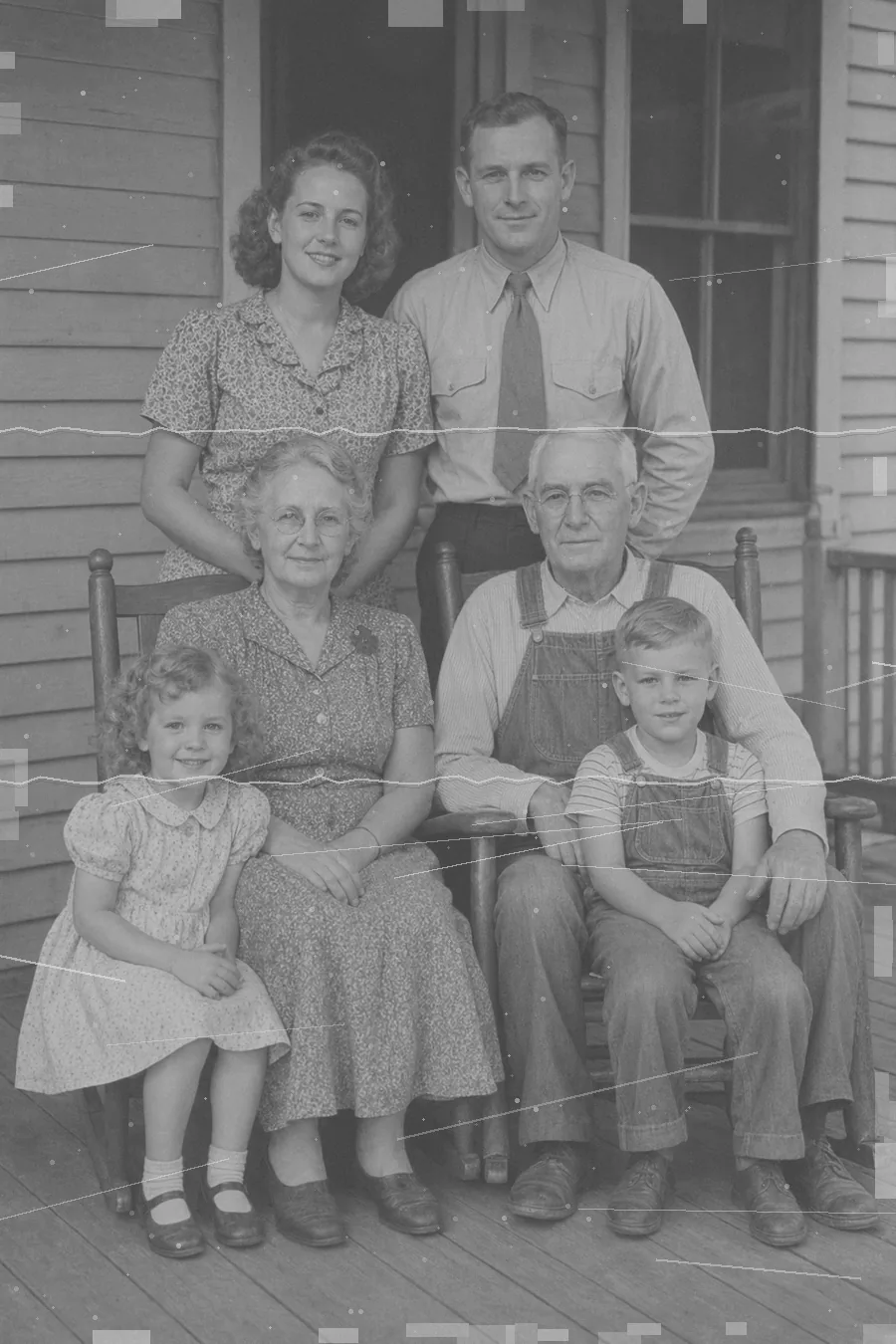
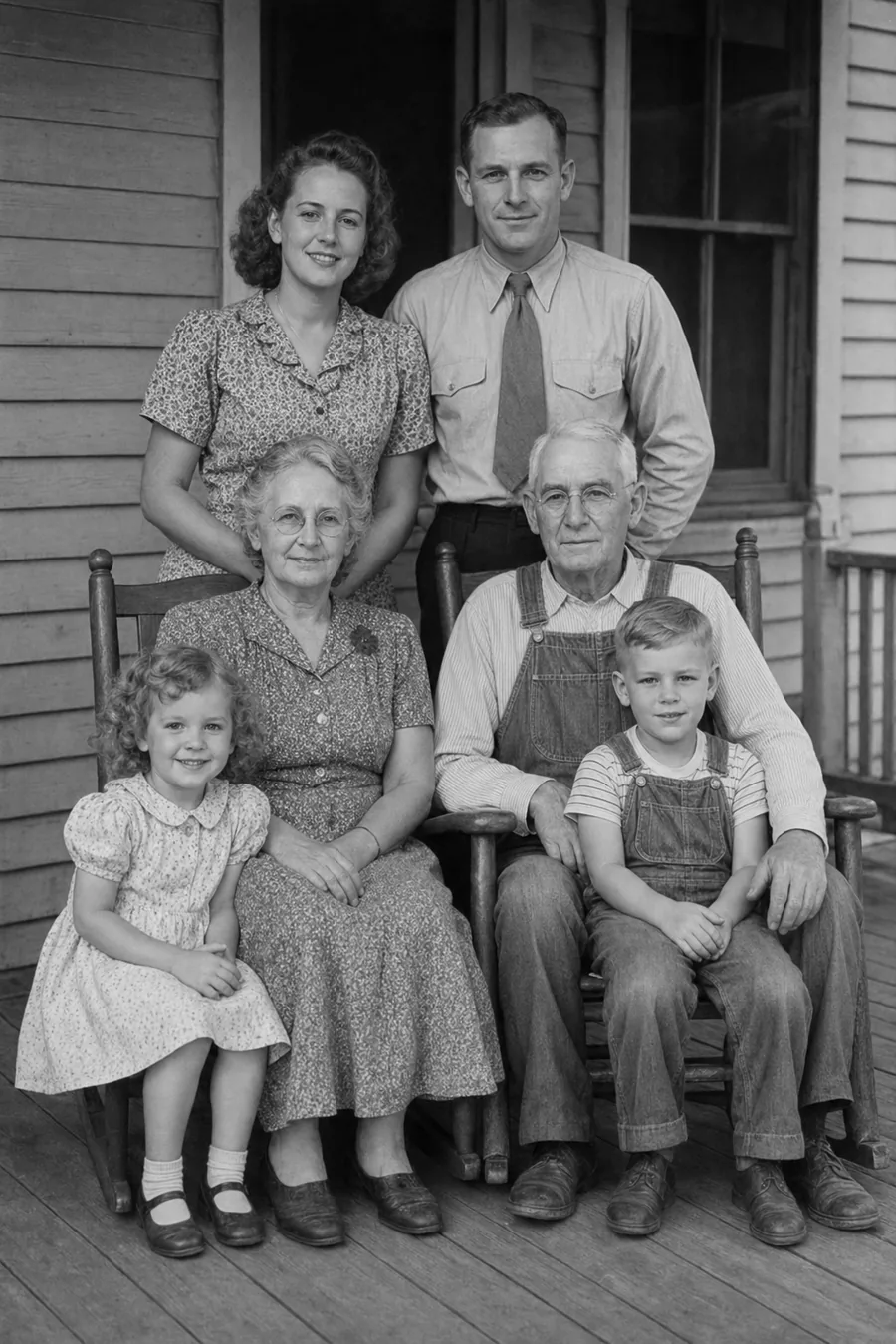
Drag & Drop Your
Damaged Photo Here
Supports JPG/JPEG, PNG, WebP, TIFF files up 20MB
Before & After Damaged Photo Repair Examples
See how AI repair damaged photos across common problems like fading, torn edges, stains, scratches, and weak detail in old family prints.
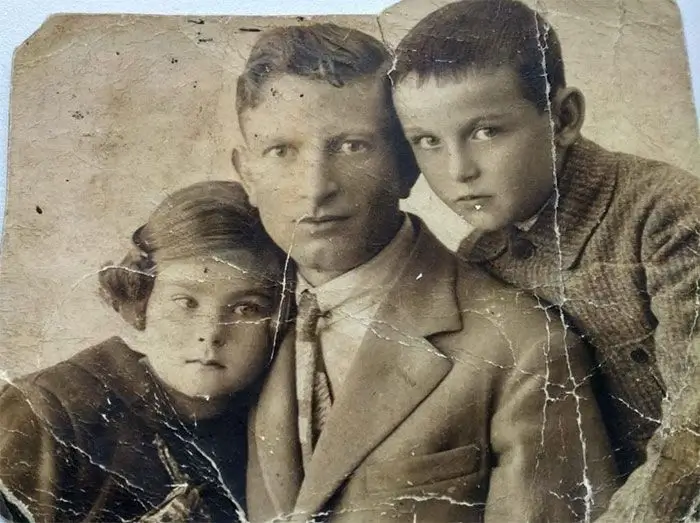
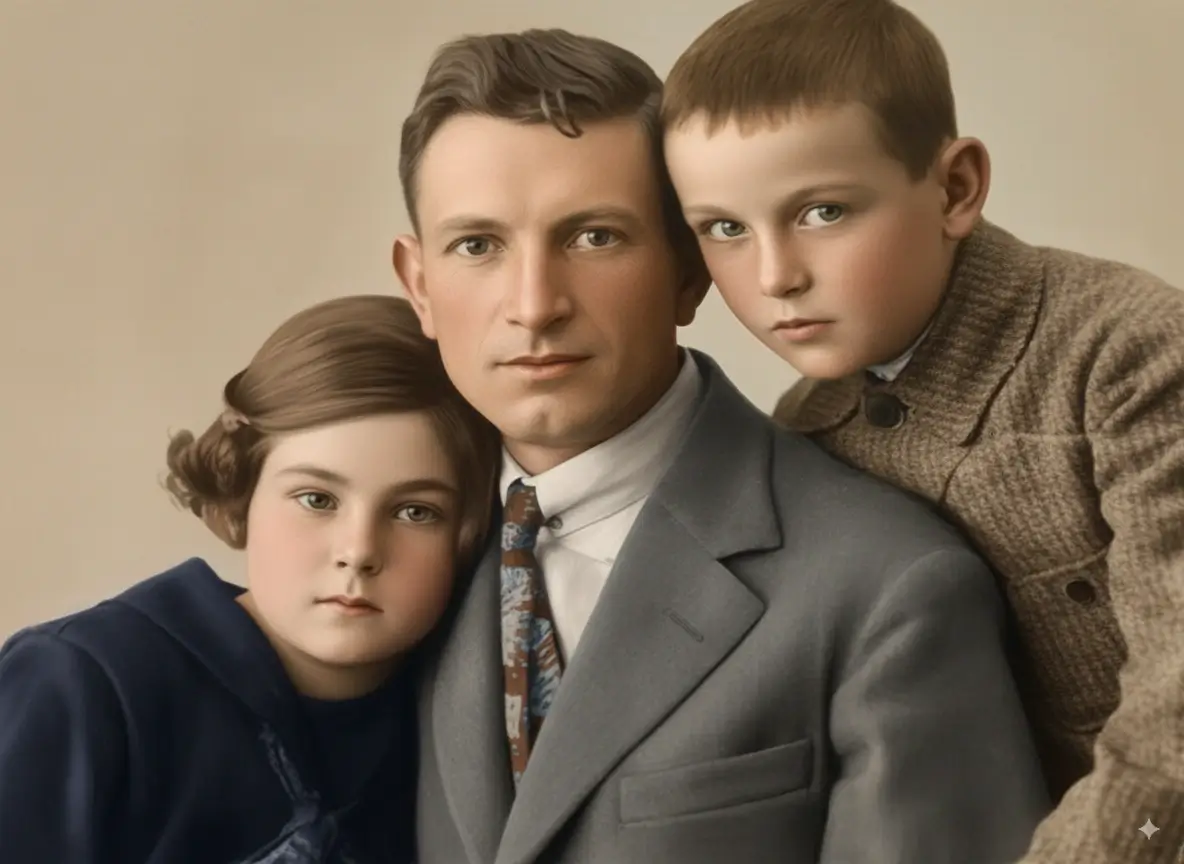
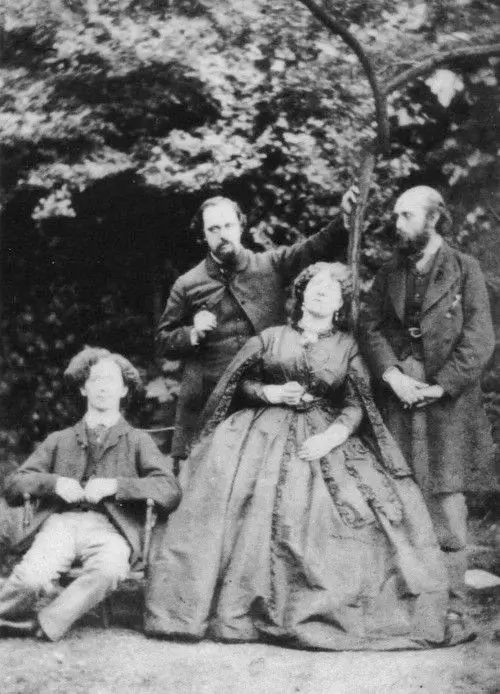
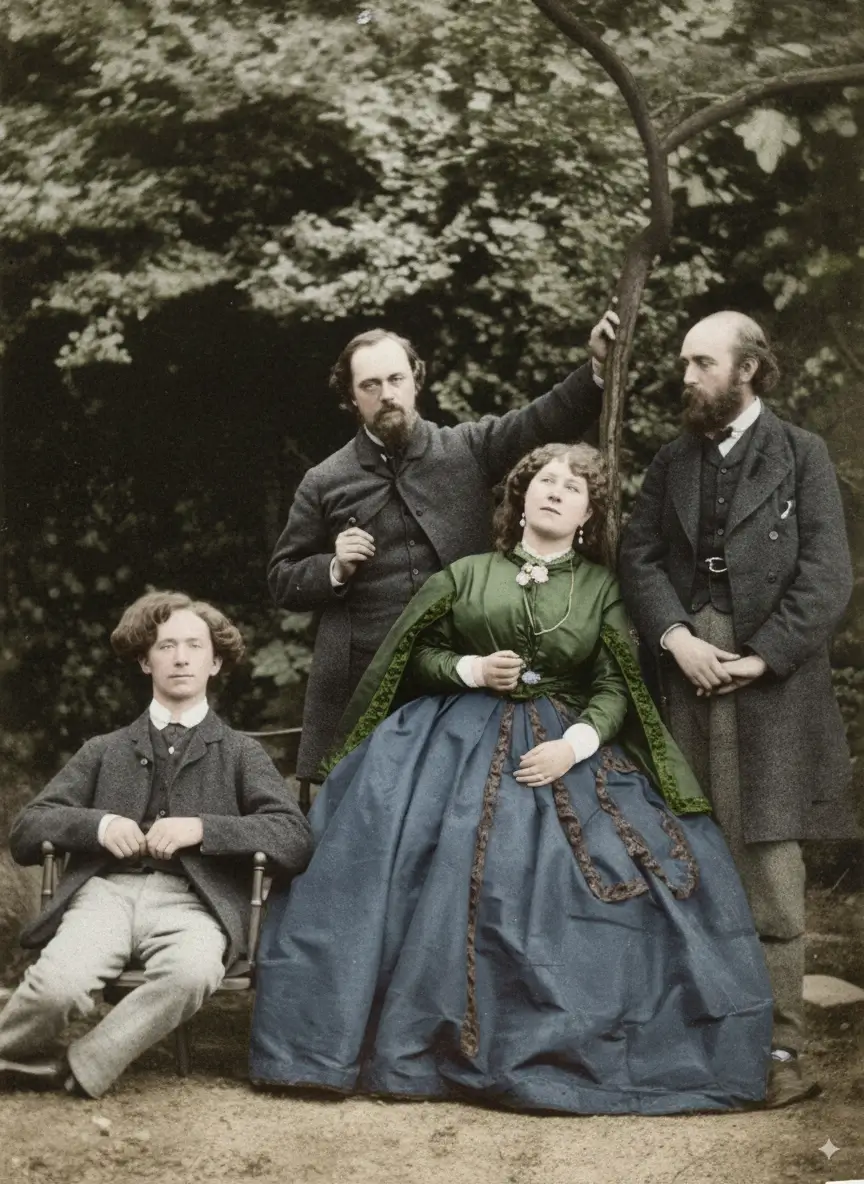
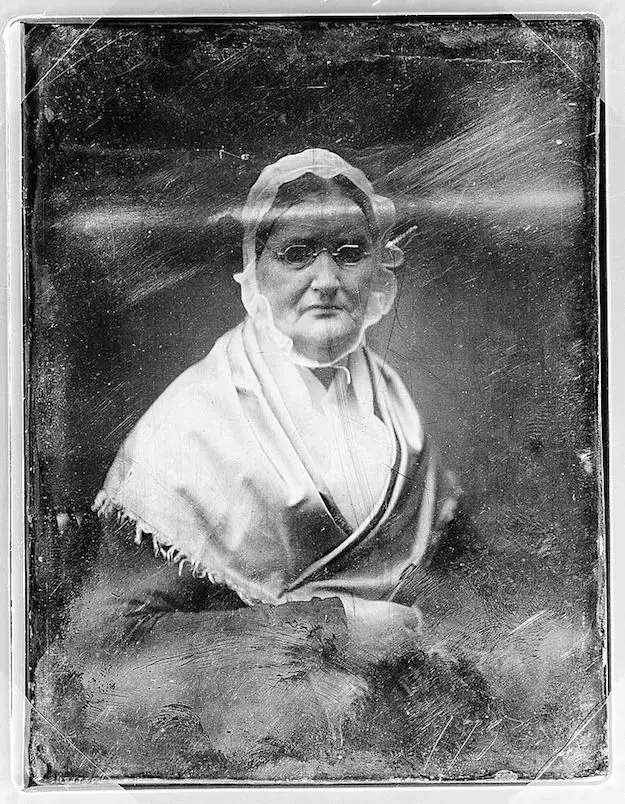
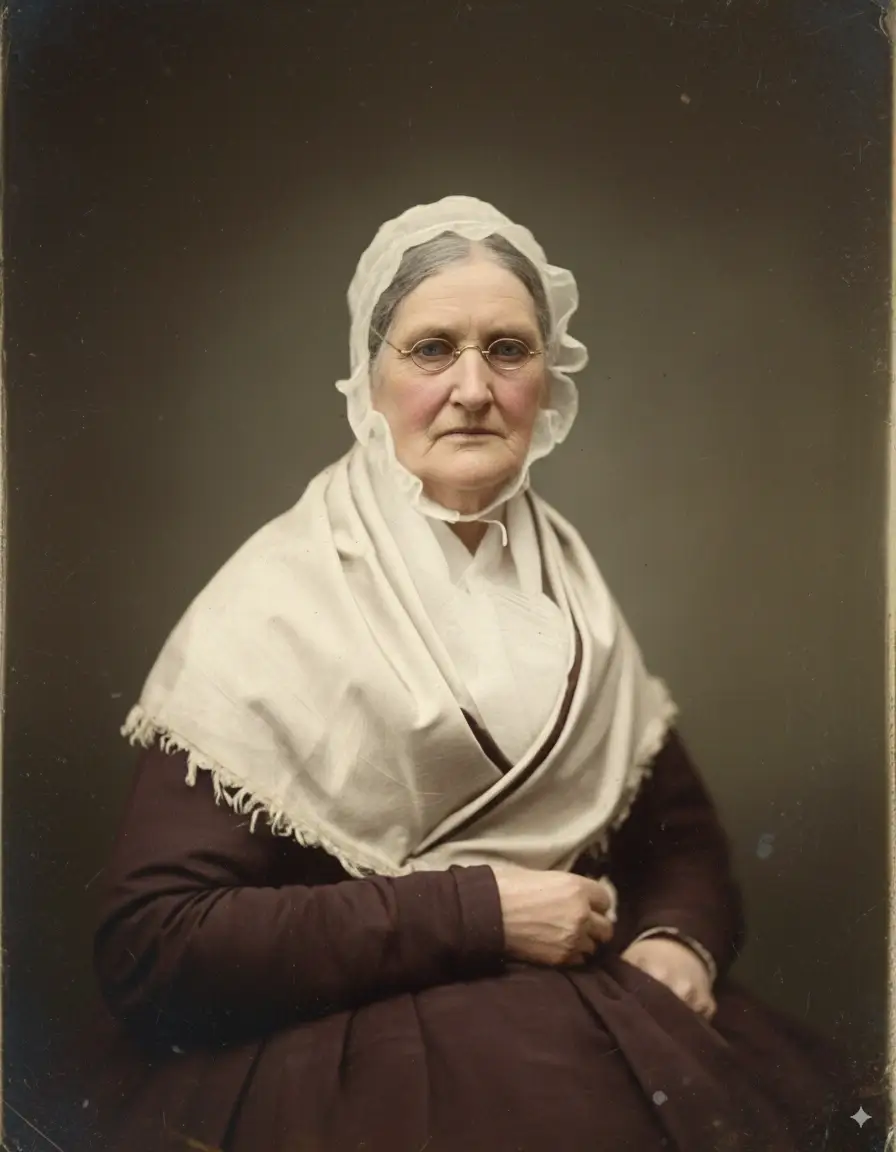
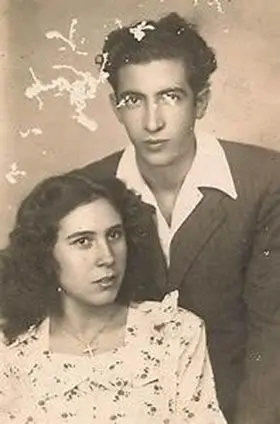
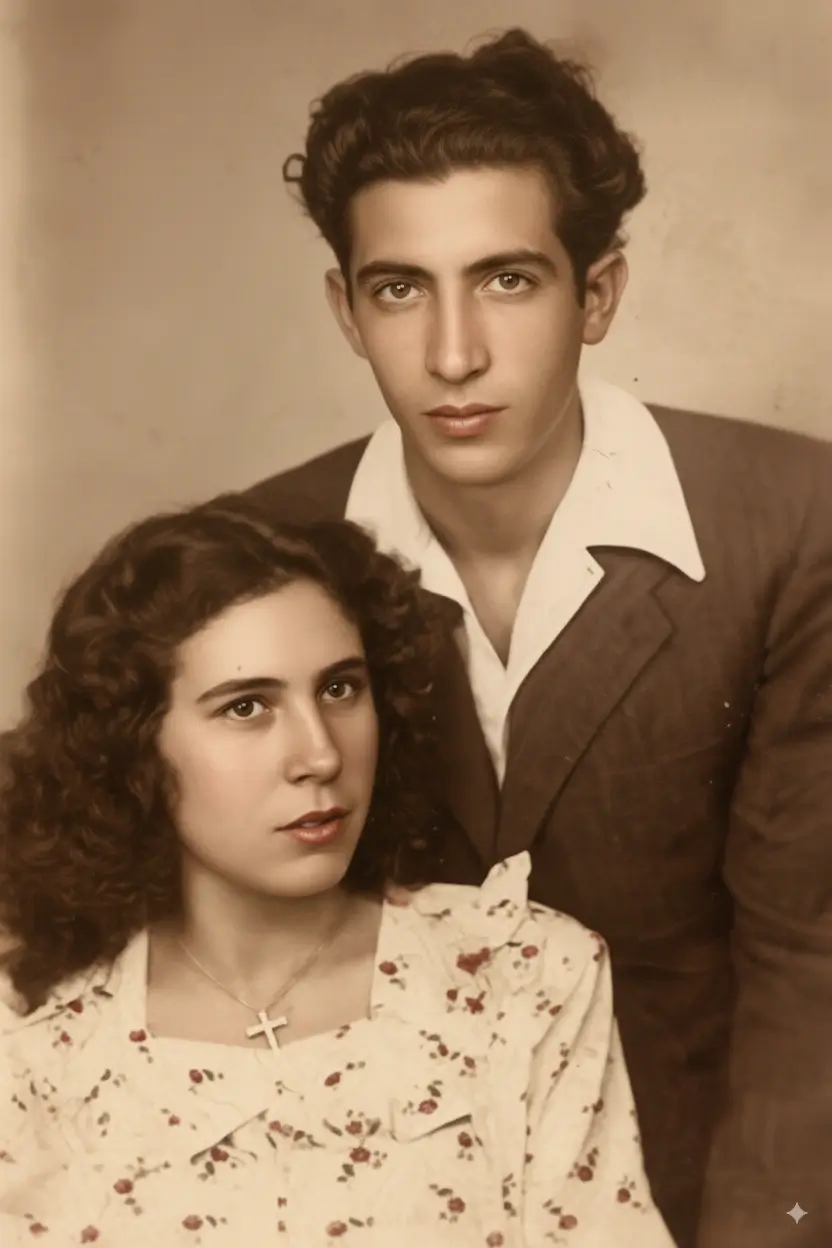
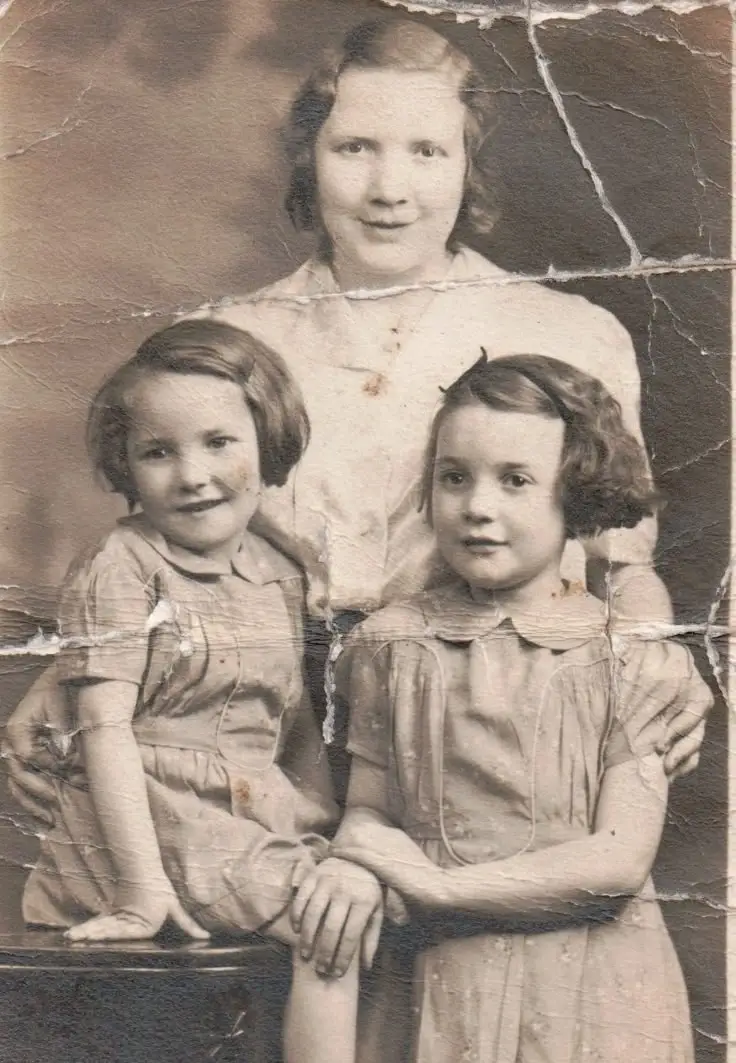
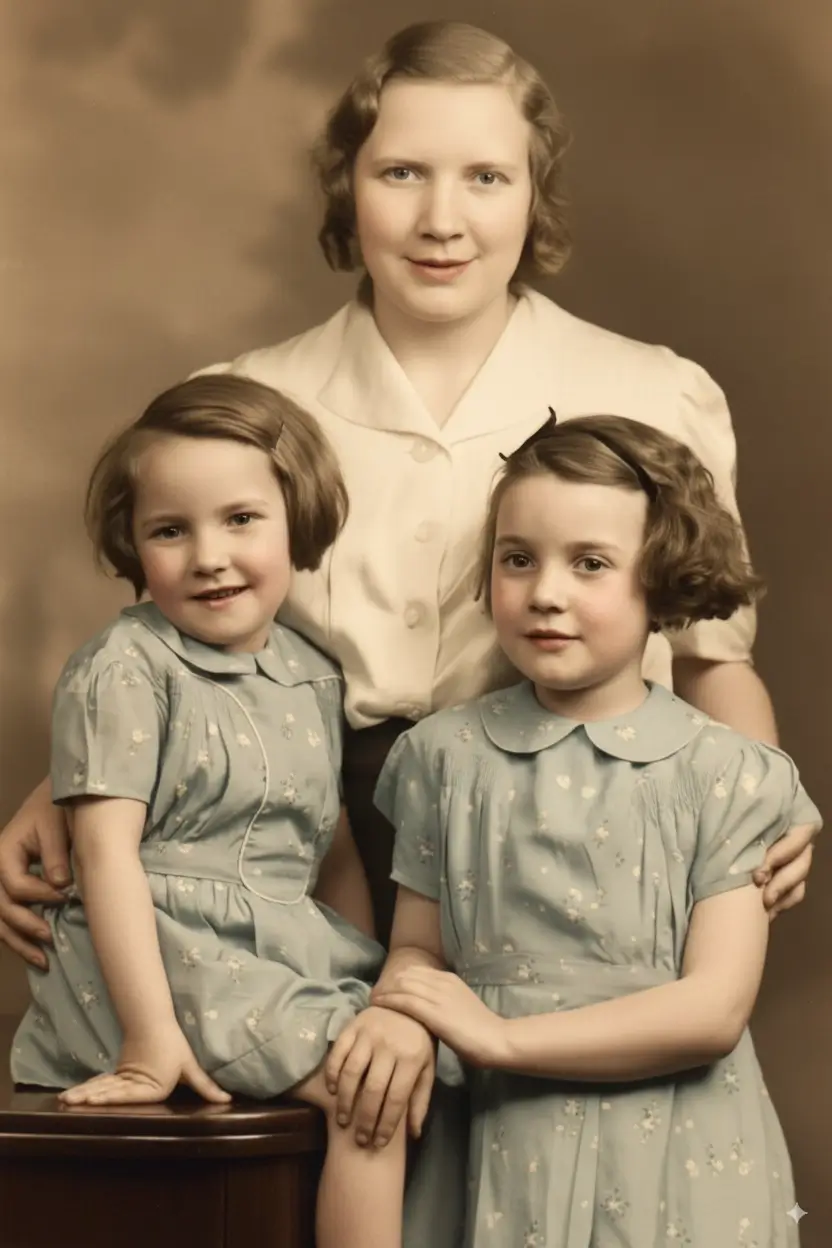
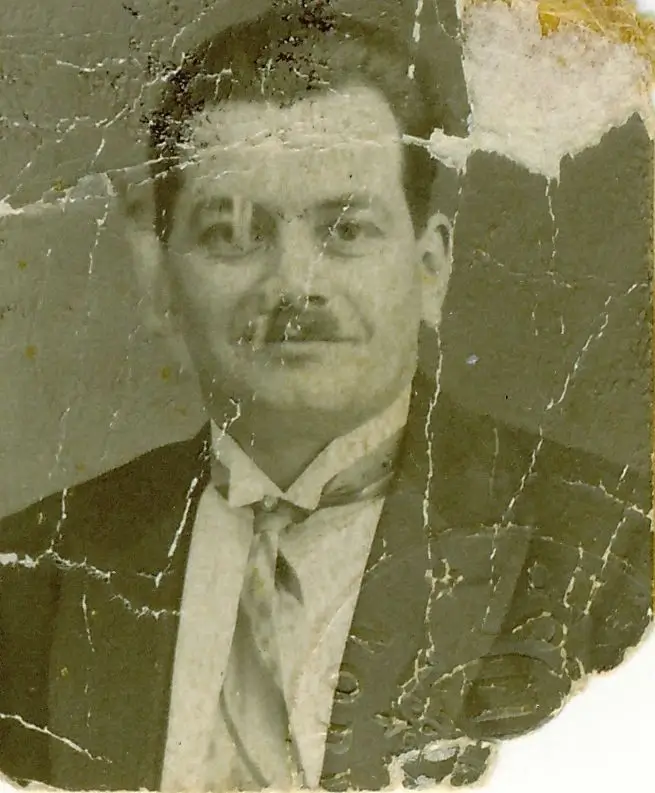

What Types of Damaged Photos Can AI Repair?
People searching for damaged photo repair usually do not have just one problem. They often have old prints with several issues at once, so this page is built around the kinds of damage real family photos develop over time.
Tears, Cracks, and Missing Corners
Repair damaged photos with torn edges, crease lines, cracked surfaces, or small missing sections. AI can rebuild continuity around damaged areas so the final image looks cleaner and easier to archive or print.
Fading and Discoloration
Restore damaged photos that have turned yellow, lost contrast, or become flat from age and light exposure. This is one of the most common reasons people search for ways to repair old photos online.
Scratches, Dust, and Surface Marks
Many old family pictures have fine scratches, dust spots, and dirty scan marks. AI damaged photo repair can reduce distracting marks while preserving the important facial and clothing detail underneath.
Water Stains and Age Spots
Repair damaged photos with water marks, brown spots, or uneven stains caused by poor storage. These defects often appear together with fading and paper wear, so the workflow should address them as a group.
Soft Faces and Lost Detail
Some damaged photos are not only worn out but also soft or blurry. AI can recover clearer eyes, hair, clothing texture, and facial structure without pushing the result too far away from the original print.
Scanned Family Photos with Multiple Issues
The most realistic use case is a scan that shows fading, scratches, stains, and weak detail at the same time. This page targets exactly that blended intent: restore damaged old photos, not just one isolated flaw.
How to Repair Damaged Photos Online
This workflow is designed for people who want to repair old photos quickly without learning complex retouching software.
Upload Your Damaged Photo
Upload a flatbed scan or a clean photo of the print. Old family portraits, faded album pages, and worn vintage pictures all work well.
Choose the Best Repair Mode
Balanced is ideal for most damaged photos. Fidelity is safer when facial identity matters most. Creative can help recover stronger detail from heavily worn images.
Let AI Detect the Damage
The model identifies scratches, stains, fading, torn areas, and soft detail, then reconstructs cleaner visual information from the surrounding image.
Review and Download
Compare the before and after result, then download the repaired version for sharing, printing, or long-term digital storage.
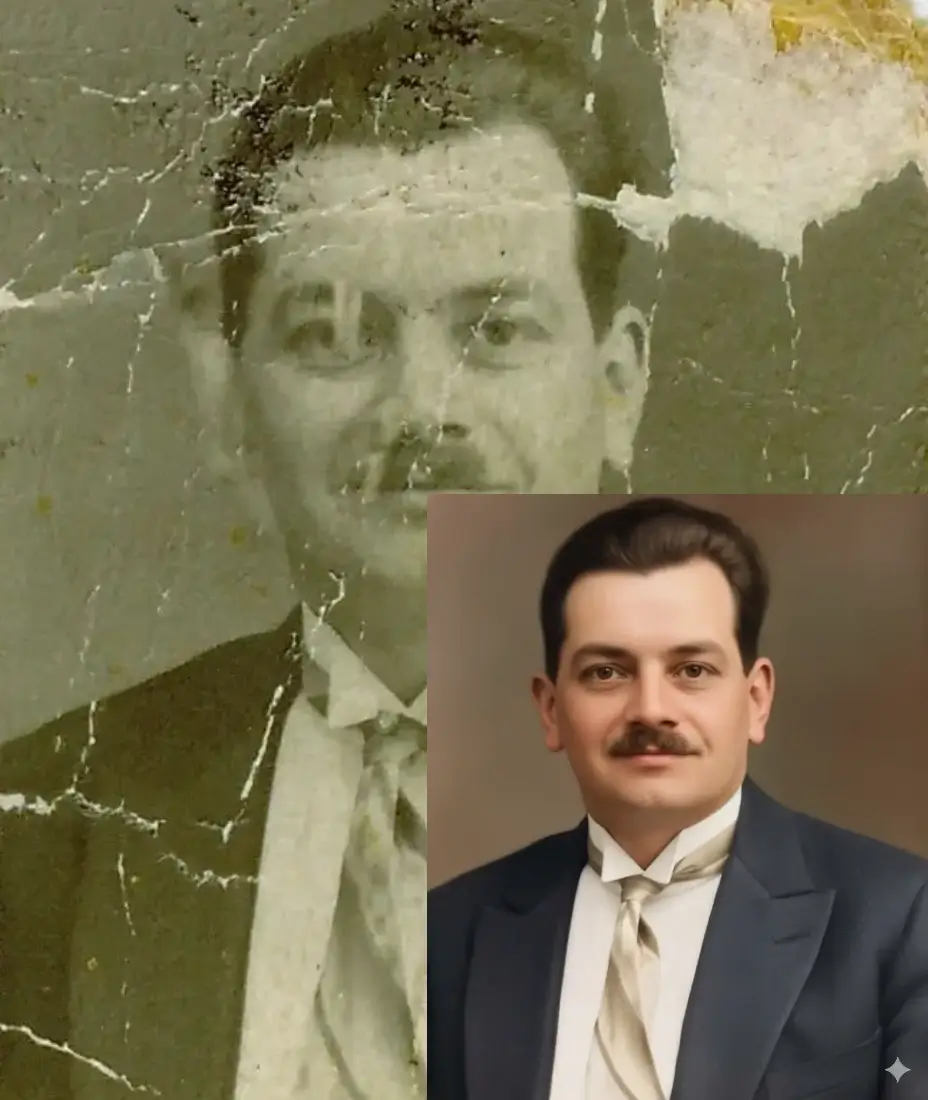
Why Repair Damaged Photos Needs More Than Simple Cleanup
Damaged photo repair is usually a combined restoration task, not a single filter. Real old photos often have fading, scratches, stains, weak contrast, and lost detail at the same time. A useful workflow needs to repair damaged photos across several layers of wear while still preserving the people, expressions, and atmosphere that made the original picture meaningful.
Handle Multiple Damage Types Together
Instead of treating scratches, fading, and stains as separate problems, the workflow rebuilds a cleaner image from the full damaged print.
Protect Faces and Important Memories
Family portraits need careful repair. The goal is not to invent a different person, but to restore a more readable version of the original face.
Create a Better Digital Master
Once you repair old photos well, they become easier to share with relatives, organize in family archives, or print again at a larger size.
Why Use This Tool to Repair Old and Damaged Photos
This page is built for the real search intent behind damaged photo repair: people want a fast online tool that can restore worn family pictures without forcing them into a manual Photoshop workflow.
Repair damaged photos from albums, boxes, and framed family collections where fading, dust, scratches, and soft detail appear together. This is especially useful for scans of old portraits, wedding photos, and multi-generation family pictures.
Many people searching for damaged photo repair do not want layers, masking, or clone stamping. They want a practical way to repair old photos online, compare the result, and move on.
A good repaired photo should feel cleaner and more readable, but still look like the same moment and the same people. That is why the Fidelity option matters for identity-sensitive family pictures.
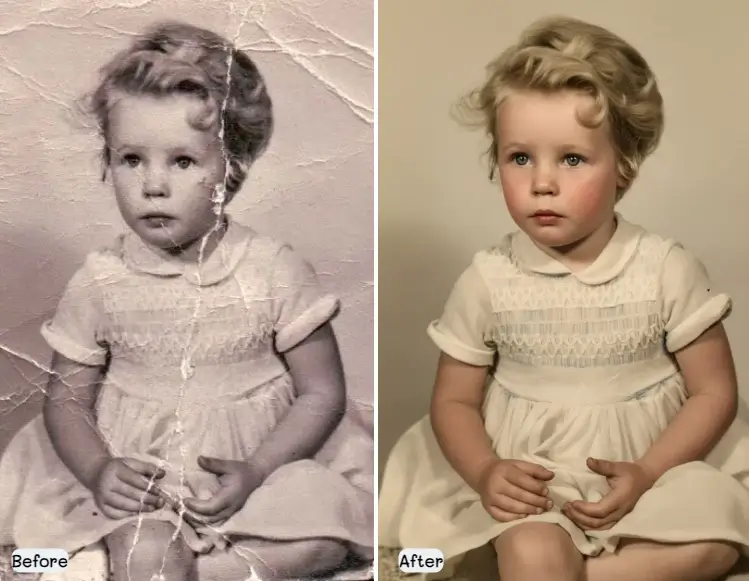
How to Prepare a Damaged Photo for Better Repair Results
Better source files usually lead to better restoration. Archival guidance consistently recommends gentle handling, higher-quality scans, and keeping the original print safe after digitization.
Handle the Original by the Edges
Avoid pressing on the image area before scanning. Old photos are fragile, and fingerprints or rough handling can create new marks that make damaged photo repair harder.
Use a Flatbed Scanner When You Can
Flatbed scans are usually the safest starting point for damaged old photos, especially if the print is curled, brittle, or valuable. They also reduce perspective distortion compared with casual phone shots.
Scan at About 600 DPI
For most family photos, 600 DPI is a strong default because it captures more recoverable detail. If the original print is very small, a higher pixel density can help preserve fine features.
Keep a High-Quality Master File
If possible, keep the original scan as PNG or TIFF. That gives you a cleaner source for future repair work and avoids repeated compression if you later want to re-edit or print the image.
Damaged Photo Repair Features
Everything you need to repair damaged photos online and turn fragile prints into cleaner digital memories.
AI Damaged Photo Repair
Repair damaged photos with one workflow that targets tears, fading, stains, scratches, and soft detail instead of forcing you to fix each issue manually.
Identity-Friendly Restoration
Use Fidelity Mode when the most important goal is to keep faces recognizable and close to the original print.
Fast Online Processing
Repair old photos in seconds instead of spending hours in a desktop editor.
Built for Family and Vintage Photos
Works well for old portraits, wedding photos, school pictures, military portraits, and aged family album scans.
Download a Cleaner, More Usable Result
Get a repaired file that is easier to archive, send to relatives, or print again.
Supports Blended Damage
This page focuses on the most common real-world problem: damaged photos with several kinds of wear happening at once.
What to Expect from Damaged Photo Repair
Setting the right expectations helps users trust the result and choose the right source file before they upload.
Best for Light to Moderate Composite Damage
AI can usually deliver the strongest improvement when the print has visible wear but still retains enough original image structure to guide the repair.
Severe Missing Areas May Need Extra Work
If large parts of the face or background are completely gone, the repaired result may still benefit from manual retouching after the first AI pass.
The Input Scan Still Matters
A higher-quality scan usually gives better damaged photo repair than a low-resolution screenshot or a photo taken through reflective glass.
Digital Repair Does Not Replace Caring for the Original
This tool repairs the digital image result. You should still store the physical photo safely after scanning, especially if it is stuck, brittle, or historically valuable.
Frequently Asked Questions About Damaged Photo Repair
These answers cover the questions people most often ask before they repair damaged photos online.
Can AI repair damaged photos with tears and stains?
Yes. AI can often repair damaged photos with tears, stains, fading, scratches, and light missing areas in a single workflow. Results are usually strongest when the original scan still contains enough visual information around the damaged area.
Can I restore damaged old photos online without Photoshop?
Yes. This page is designed for people who want to restore damaged old photos online without learning clone stamp, masking, or layer-based retouching. Upload the image, choose a mode, and review the repaired result.
What kinds of old photos work best?
The best candidates are scanned family portraits, wedding photos, album prints, and vintage paper photographs with fading, scratches, stains, or general wear. It also works well for damaged pictures that combine several of those issues.
What is the best DPI for damaged photo repair?
For most household scans, around 600 DPI is a strong default. It usually captures enough detail for better damaged photo repair without creating an unnecessarily difficult workflow. Very small prints may benefit from even higher scanning density.
Can you repair water-damaged photos?
You can often improve the scanned image of a water-damaged photo, especially when the main problems are stains, fading, or localized surface damage. If the original print is wet, stuck, or moldy, handle it carefully before scanning rather than forcing it apart.
Will the repaired photo still look like the original person?
That is the goal. If identity matters most, use Fidelity Mode so the repaired result stays closer to the original face, expression, and overall character of the photo.
Can I upload a phone photo instead of a scan?
Yes, but a flatbed scan is usually better. Phone photos can still work for damaged photo repair if the print is evenly lit, flat, and photographed without glare or perspective distortion.
Should I keep the original file after I repair old photos?
Yes. Keep both the original scan and the repaired version. The original gives you a clean reference if you ever want to try a different workflow, create a larger print, or make an archival backup later.
Repair Your Damaged Photos
Before More Detail Is Lost
Upload an old family picture, repair the damage with AI, and keep a cleaner digital version ready for sharing, archiving, or printing.